Help Documenation
-
How to configure Wifi
- Case I: Internet not configured
- Start the controller and wait for 30 seconds
- Go to Wifi settings and connect to the Wifi named: ThinkRawDOpH with password as pass1267
- Select the Wifi from the list which will be used as the Internet provider for the Controller
- Case II: Change Wifi settings
- Switch Off the Wifi router which was configured as the internet provider for the controler
- Follow the steps of `Case I: Internet not configured`
-
How to check Sensor Data
- Case I: Over the Internet
- Click on Dashboard to check the sensor data
- Case II: Directly through Controller
- You need to be within 8-10 meter from the controller
- Go to your mobile/computer setting and click on Wifi Settings
- Connect to the newtork named ThinkRawDOpH-AP with password pass1267 to access the sensor data locally
- You might get an error that you are not connected to internet. That is okay
- Open the brower like Chrome and open the address http://192.168.4.1
- If it does not open then recheck if you are connected to ThinkRawDOpH-AP. If not then try to reconnect
- Note: If you restart the controller using the Restart Button then you need to connect to the controller netwrok again
-
Caution:
- Do not try to connect more than 2 devices to the controller at a time as it may reboot the controller
- Do not refrest the page too frequently, it will cause the controller to restart
- For the admin sectin you need user name and password, which can be requested from Controller admin
-
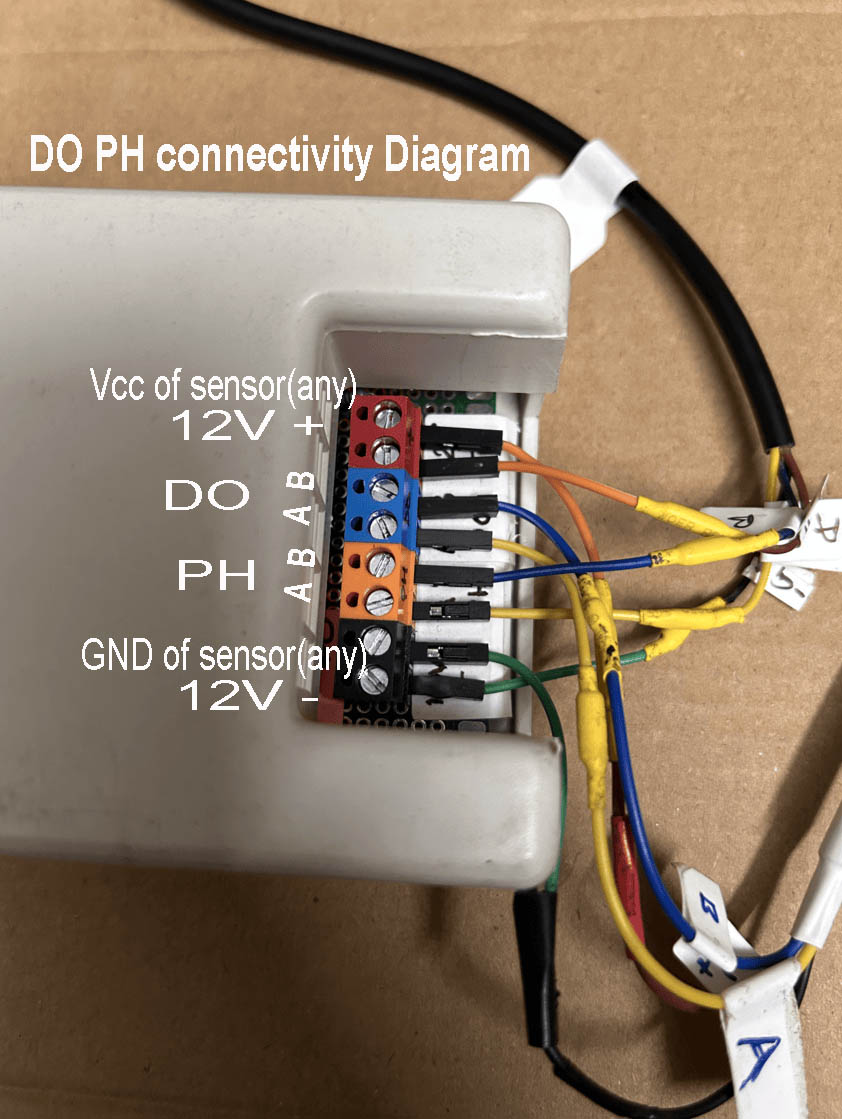
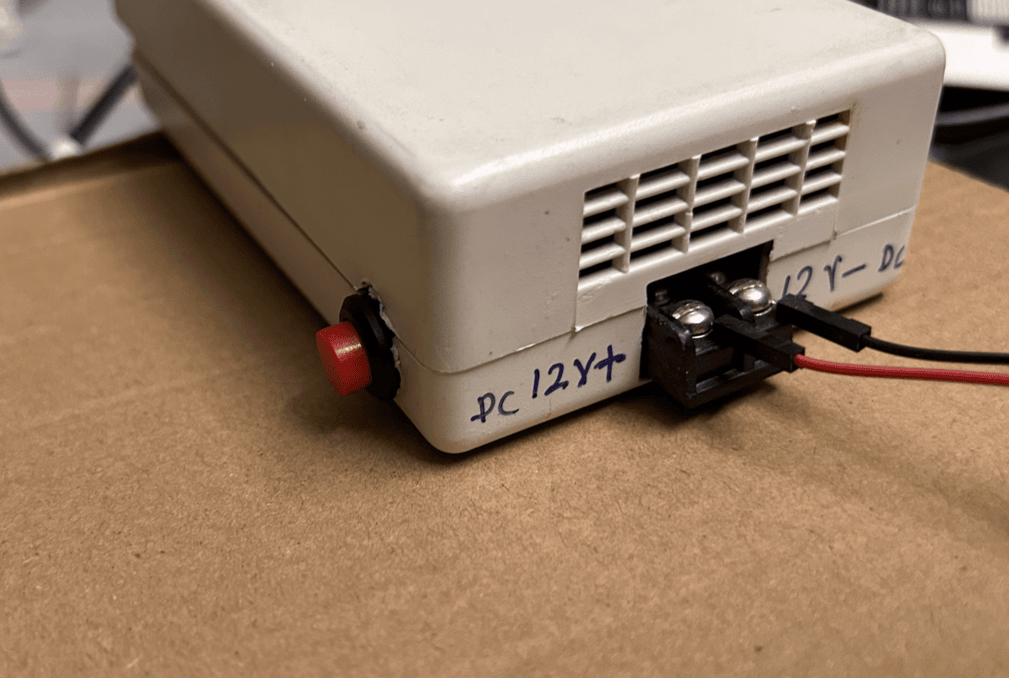
How to do Physical connectionKindly refer to the picture below